The shipbuilding automation layer for Rhino. Model the structure once and Visual Hull Pro generates every part, list, nest and production drawing the yard needs, and keeps them in sync.
Auto Component turns surfaces into production parts. Build Stiffeners runs flat bars, HP bulbs, L-profiles, T-bars and pipes along any curve, straight or twisted. Geometry and metadata stay locked together from the first click.
FB
HP
L
T
Pipe
Twisted
1,211profiles lit in this block
800plates
02 / 05 Sync
Every part, committed.
IDN, type, material, thickness, assembly, end cuts and centre of gravity travel with each part into one SQL database shared by Rhino and the web app. Nothing is retyped. Nothing drifts.
vh-db · commit0 / 2,011
03 / 05 Export
Weights, COG and BOMs, while you model.
Bills of materials, cut weights, centre of gravity and stiffener lists come straight from live model data, not from a spreadsheet somebody forgot to update. Colours below match the plate thickness on screen.
Plate
Parts
Area
Weight
Block FO01
2,011
29.5 t
COG · X 4,641 · Y −86 · Z 2,912 mm
04 / 05 Produce
Straight to the cutting table.
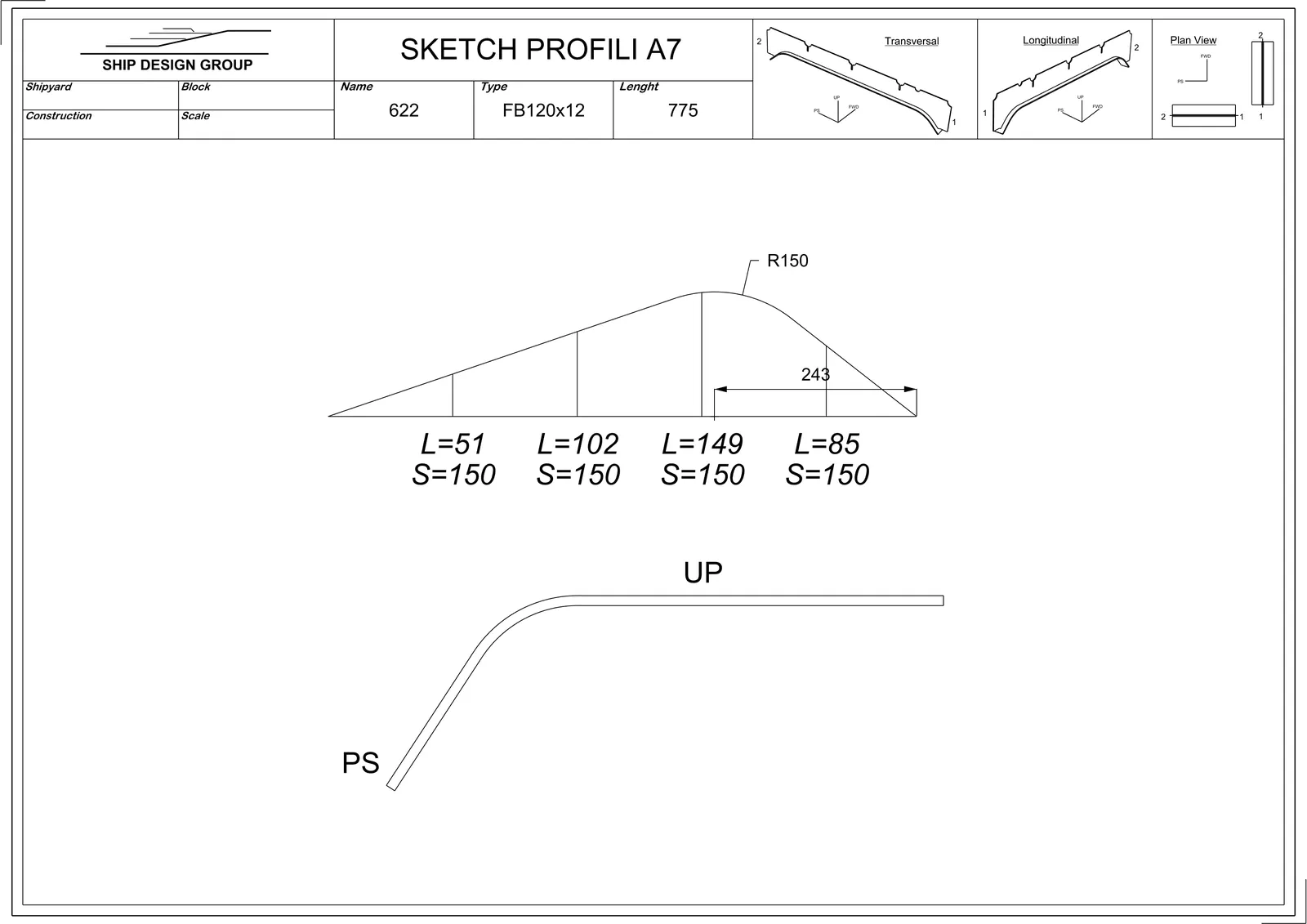
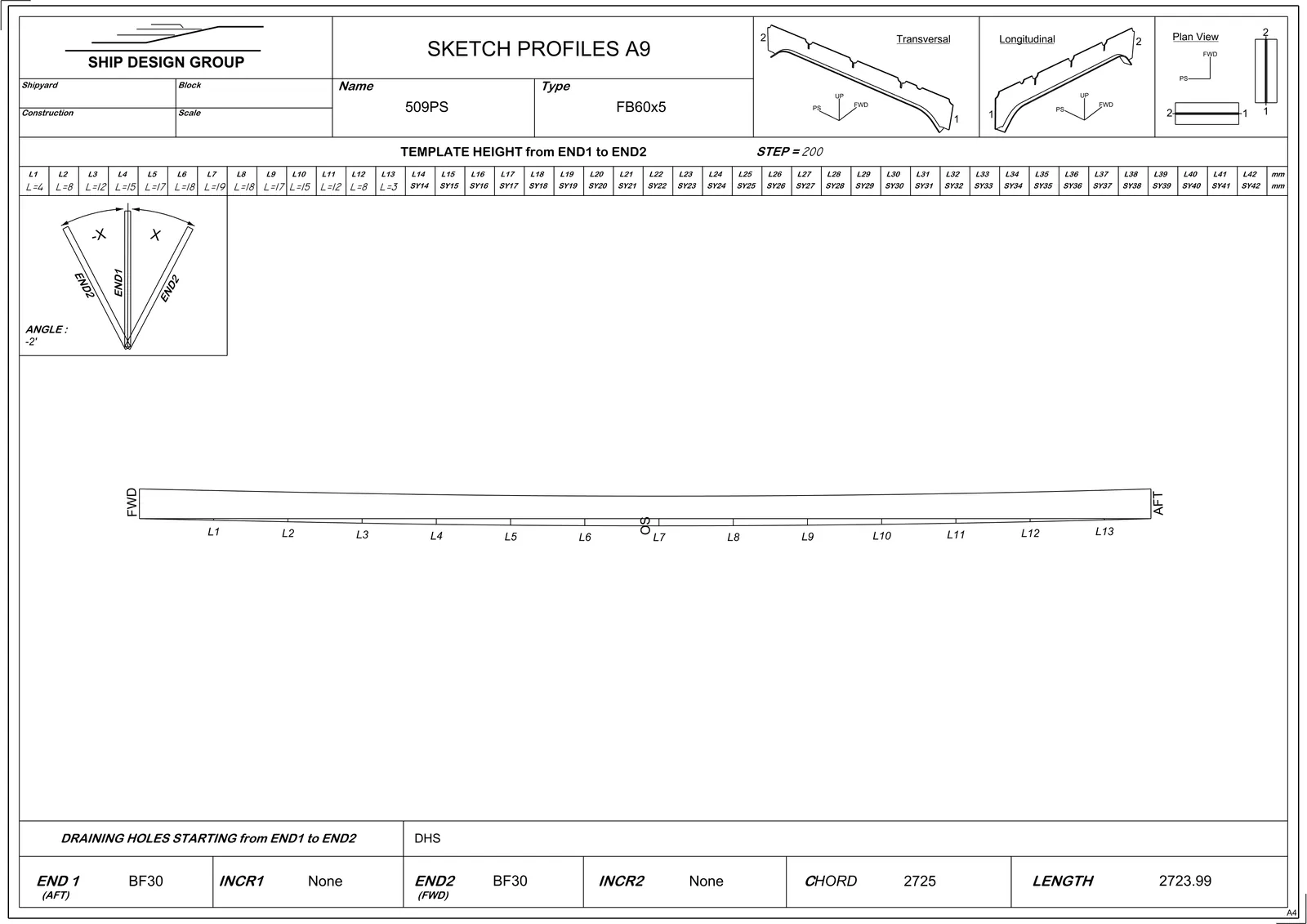
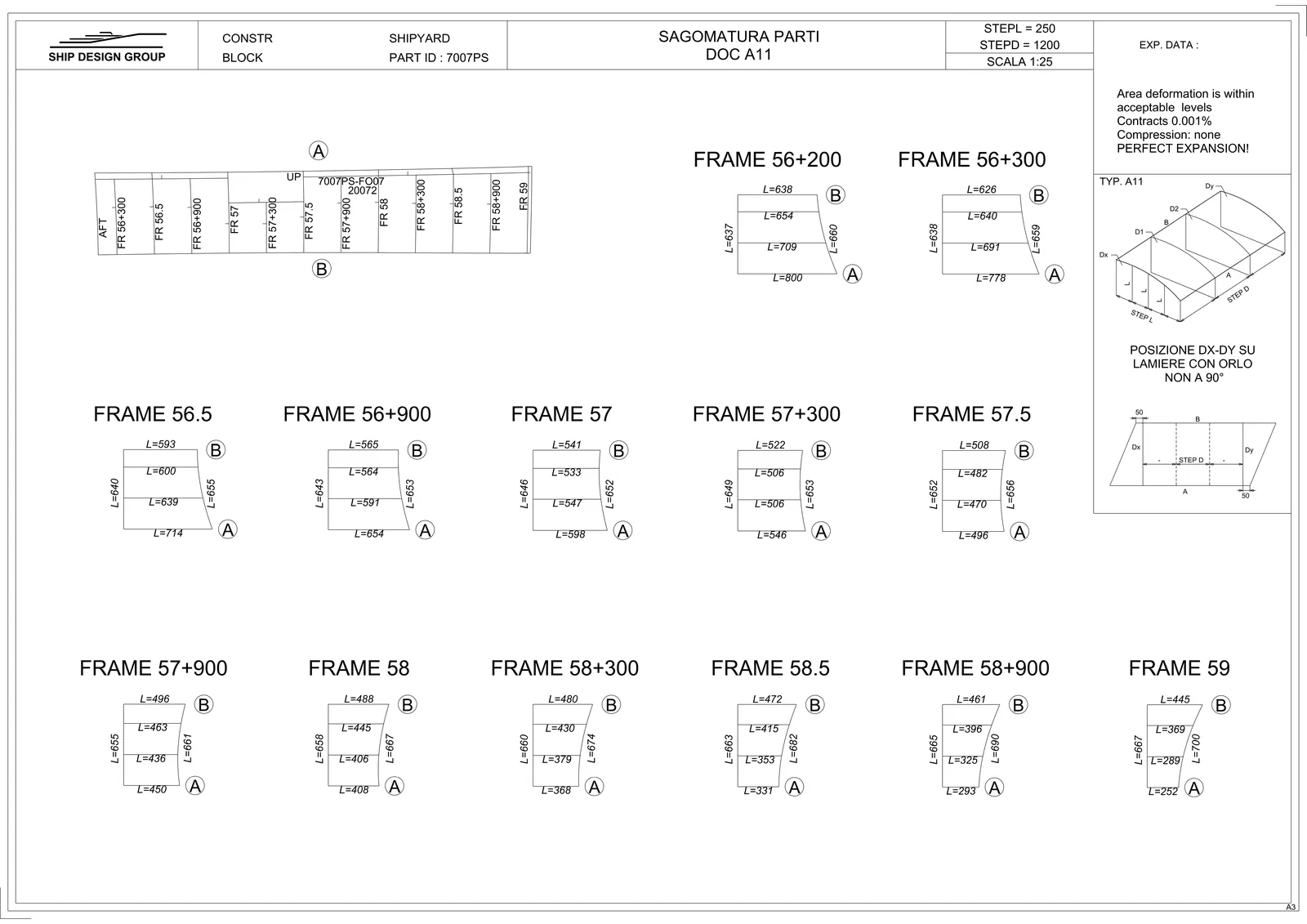
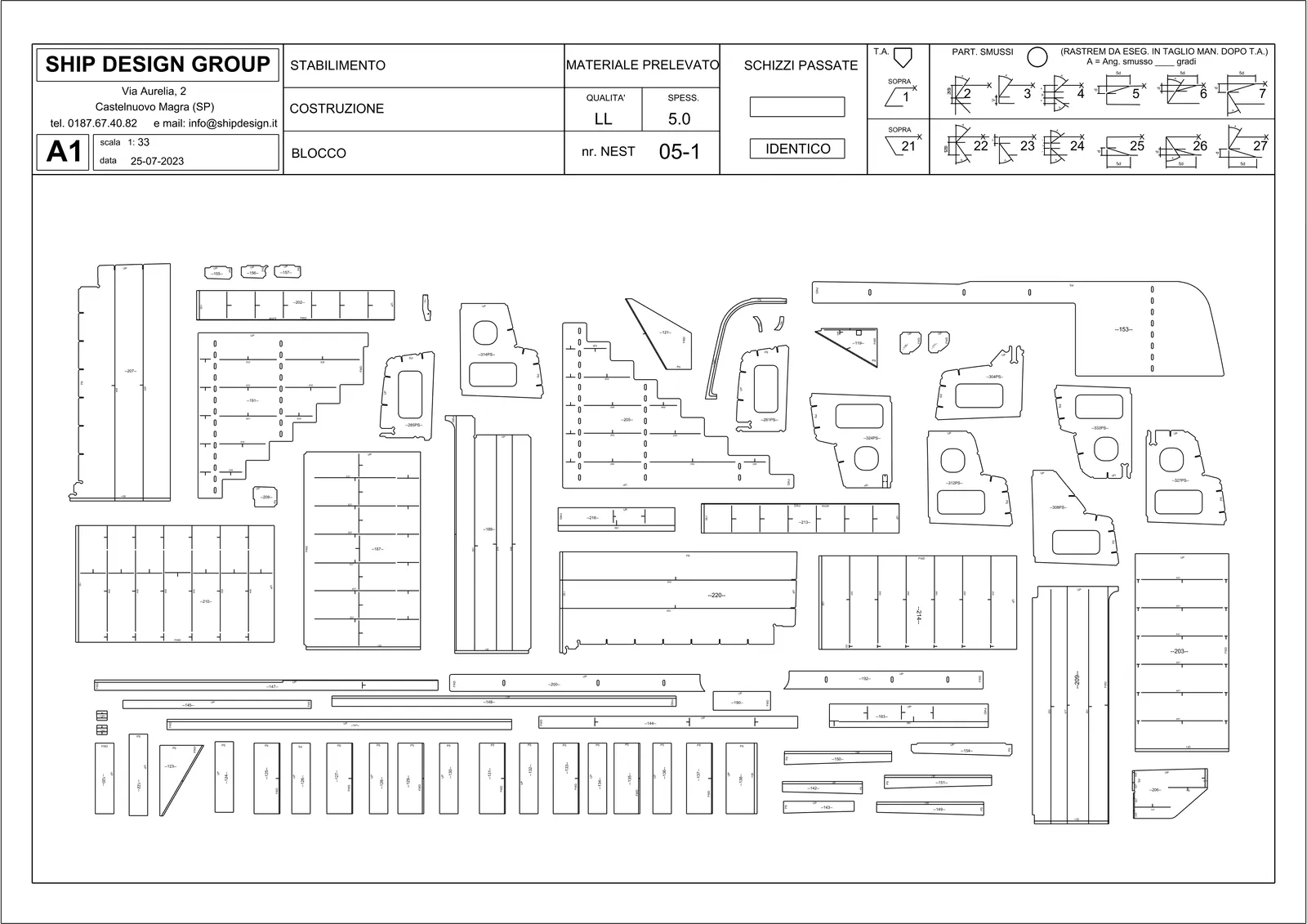
CNC nesting and plate expansion, flat-bar nesting on raw stock, A7 bending sketches with inverse curves, A9 templates for twisted profiles, A11 plate forming and A15 assembly drawings.
43sheets & bar racks
0.00km of contour cut
2,011parts nested
Live demo: this nest is computed in the browser scene from the block's real geometry.
05 / 05 Draft
Drawings that annotate themselves.
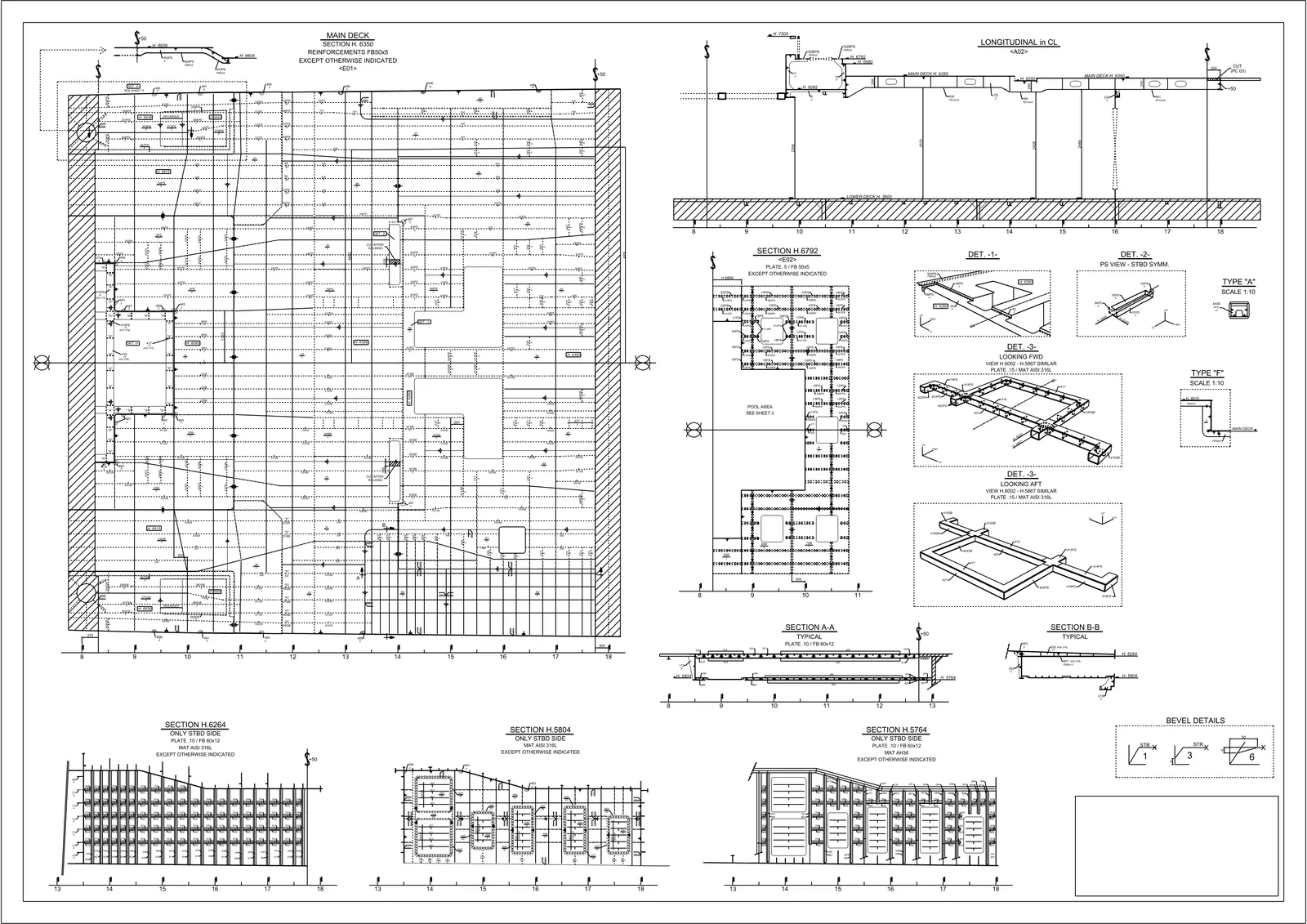
Sections, sloped sections, ISO views, smart tables, leaders, IDN marks and dimensions are laid out automatically and stay in step with the model, from Rhino to the web app without breaking context.
Live model · not a video
Take the helm.
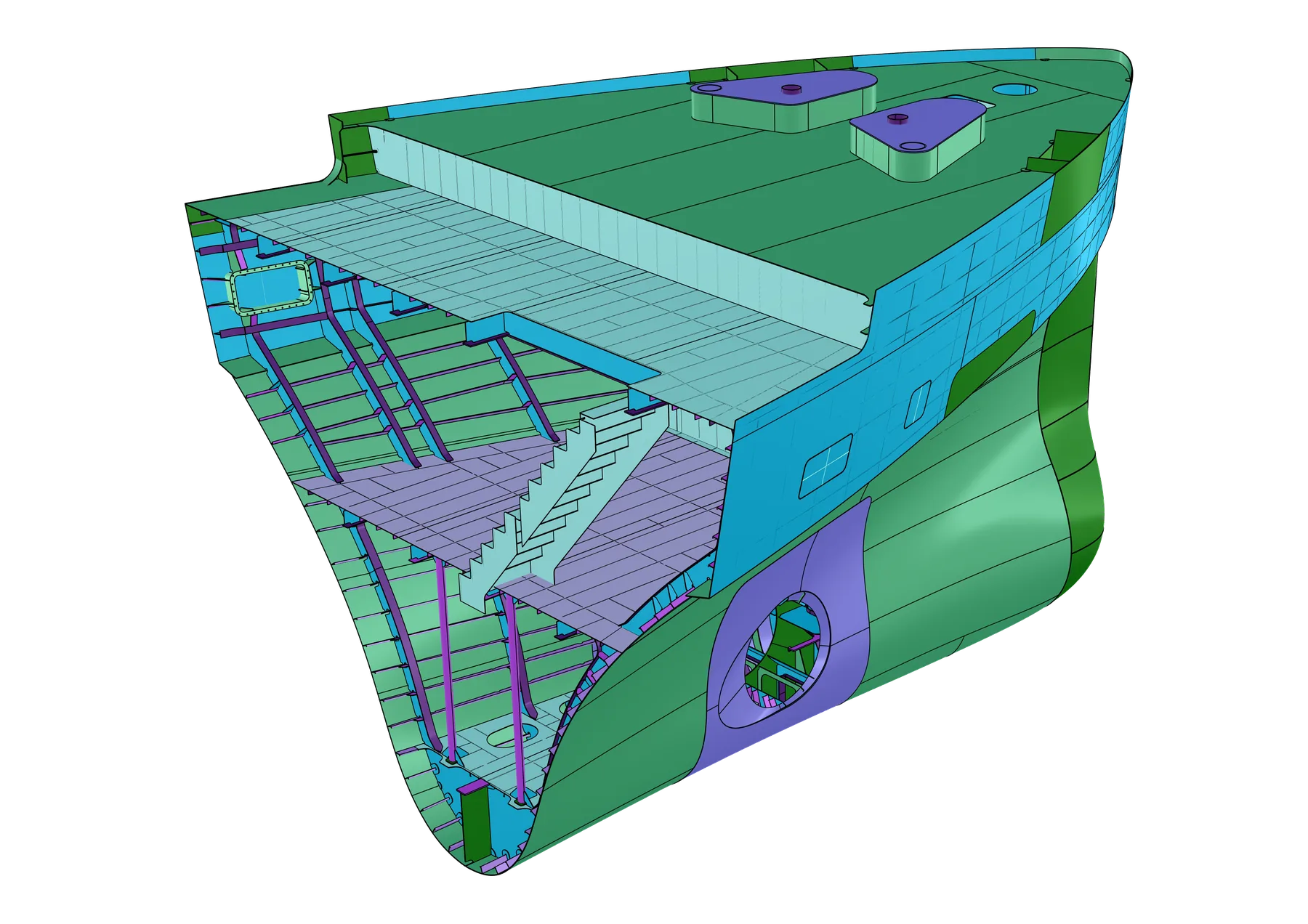
This is block FO01 of a real superyacht, modelled with Visual Hull Pro: 2,011 parts, each carrying its own production data. Drag to orbit, hover a part, or type a command the way you would in Rhino.
Enter runs a command · Tab completes · Ctrl + scroll zooms
Your browser could not start WebGL 2, so here is a render instead. Open this page in a current Chrome, Edge, Firefox or Safari to drive the live model.
Deliverables
The documentation vault.
Every document lands here, generated directly from the Rhino and web app workflow. These are real production outputs from ShipDesignGroup projects. Open one.
Nest CNC cutting sheets per thickness and grade, with IDN labels, bevel symbols and material take-off.A7 Profile bending sketches with inverse curves, lengths and stations.A9 Twisted profiles: template heights end to end, twist angle, draining holes.A11 Curved plate forming, frame by frame, with expansion check.Sheets Automated structural drawings: sections, details, smart tables.3DM The master 3D model, every part named, typed and weighed.
Unedited captures from Rhino and the web app. Hover to play.
Build Stiffeners Profiles along curves, end cuts included.Auto Component Surfaces in, production parts out.Face plates Flanges generated on the web edge.Nesting Parts packed onto plates, ready for CNC.Bill of materials Lists straight from the database.Curved parts Forming documentation for shaped plates.Drawing sheets Drafting layouts, annotated automatically.Save parts & profiles Commit geometry and data together.
Designed by shipbuilders
Forged inside a superyacht engineering office.
Visual Hull Pro was built at ShipDesignGroup S.r.L., a superyacht structural engineering firm in Castelnuovo Magra, Italy. After years of internal use on luxury hulls for world-class yards, the toolchain is now available to the industry. Every feature was forged against real deadlines.
Vessels designed
50+
Gross tonnage processed
180K+
Engineering hours saved
12K+
In production since
2019
“We use Visual Hull Pro on every project. It's the backbone of our engineering workflow, from initial hull modelling to final CNC output.”
Yes. Visual Hull Pro is fully compatible with both Rhino 7 and Rhino 8 and adapts to your Rhino version automatically.
Can I try it before buying?
Yes. The Scout licence gives you one month with every design tool, manufacturing output and drafting automation, so you can run a real block through it before committing to the yearly plan.
Do you offer training?
Every licence includes training material and onboarding support: documentation, video tutorials and direct assistance so your team is productive from day one. The user manual is online.
Which file formats come out?
Industry-standard formats: DWG and DXF for 2D drawings, PDF for documentation, 3DM for 3D models, and CNC-compatible nesting files. All outputs are production-ready.
How do Rhino and the web app stay in sync?
Every part is committed to a central SQL database that both Rhino and the web app read. BOMs, weights and nests are generated from that live data, so documents follow the model.
The team
Built by people who sign off hulls.
FS
Farouk Serragedine
Lead developer
Main architect of Visual Hull Pro. Designed and built the complete toolchain, from the Rhino integration to the web application.
GP
Giacomo Parrini
Co-founder
Co-owner of ShipDesignGroup S.r.L., with decades of experience in superyacht structural engineering and naval architecture.
AB
Athos Boldrini
Co-founder
Co-owner of ShipDesignGroup S.r.L., providing strategic direction and industry expertise to Visual Hull Pro's development.
Your next block, already drawn.
Planning an enterprise deployment, or want a demo on your own hull? Tell us about the project.